
This article reflects information as of 2020. For the latest details, please contact us.

This article is about 1,700 characters and takes about 6 minutes to read to the end. Written by: Qian Yunwen, Director / PR, tentus inc.
[Translator's note: 銭韻雯 romanized as "Qian Yunwen" using provisional pinyin; the source gives the Japanese reading "Sen Inbun." Preferred romanization unconfirmed.]

Hello, everyone! Good evening!
Thank you as always for reading.
Please also check out the archive below.
For New Web Directors: Learn Adobe Products for Free on YouTube! For New Web Directors: Level Up Fast with Progate! For New Web Directors: The Content a Corporate Site Needs! For New Web Directors: Websites Have a Best-Before Date. For New Web Directors: I Built a Site with WordPress Using Free YouTube Videos! For New Web Directors: 10 Standard Tools For New Web Directors: On Modern Internal Newsletters
Today I'd like to talk a little about wireframes, which are essential in web production.
So what is a wireframe, anyway?
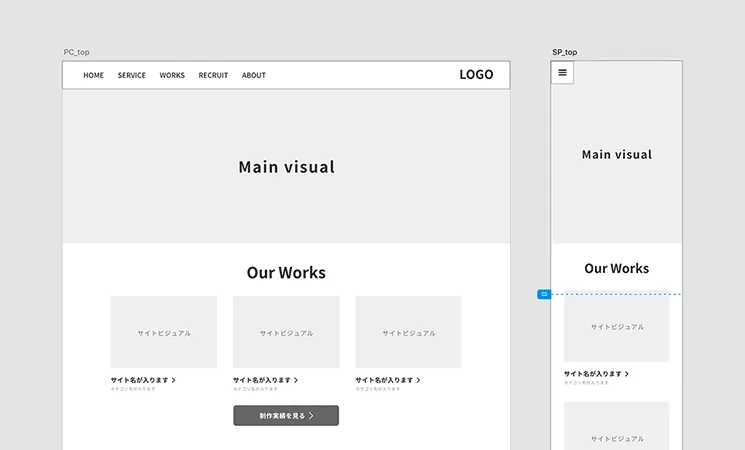
Simply put, a wireframe is the blueprint that decides the layout of a web page. Looking only at the finished form, it might seem simple, but wireframe production actually involves a lot of thinking.
It's one of a web director's important jobs.
<via https://coosy.co.jp/blog/article06/>
At a glance, you can easily see what goes where on the page, right? This is a wireframe.
<via https://cacoo.com/ja/templates/sitemap-software>
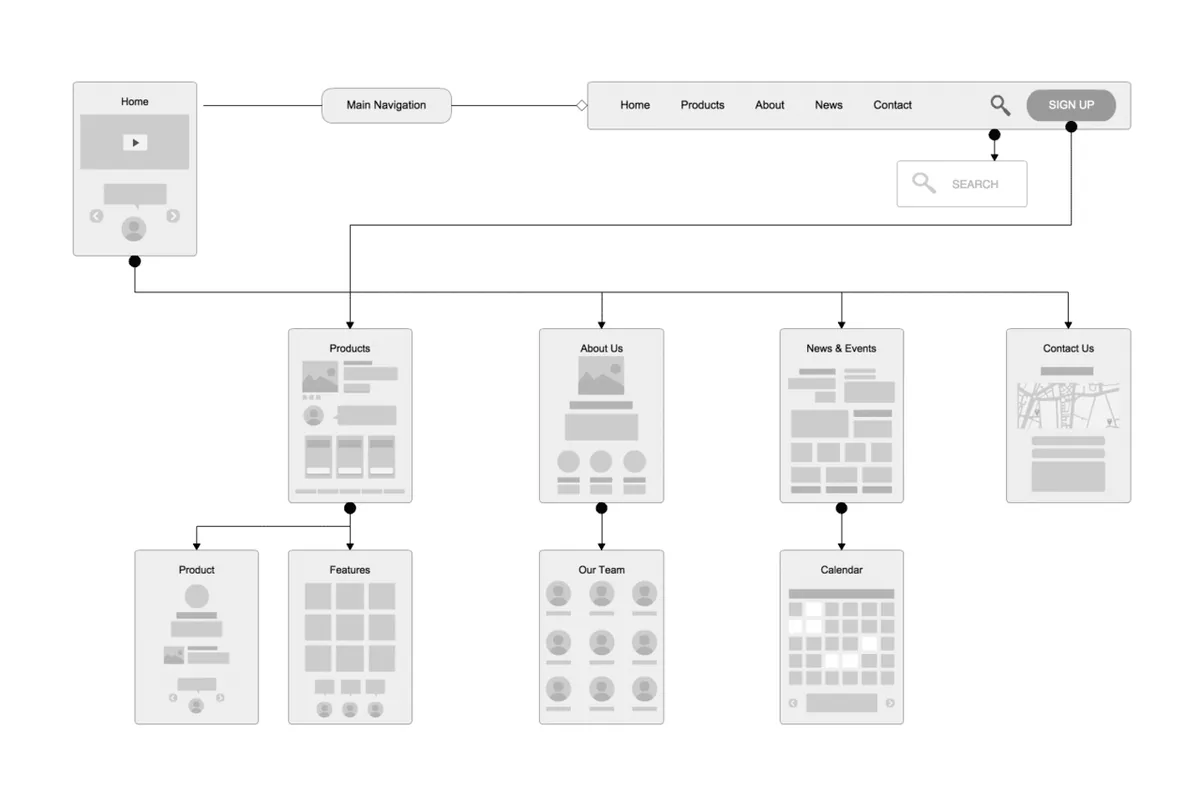
This is a sitemap.
You might also call it a "structure document." However, a structure document includes all the images and detailed text used in the content, so it's one step beyond a wireframe as a deliverable.
What tools do you use to create wireframes?
Since our company has a high proportion of Windows users, we basically create them in Microsoft PowerPoint, but companies with a high proportion of Mac users would use Keynote. Also, for collaborative work, quite a few people use Google Slides.
Recently, many people also make wireframes in Adobe XD. Occasionally I see people using a tool called Sketch, but it's Mac-only, so I think it loses out to its rival Adobe XD.
Personally, I like Adobe XD. You can collaborate, there are plenty of plugins, and you can whip up wireframes in no time.
<via https://chot.design/xd-plugin-matome/e67560049575/>
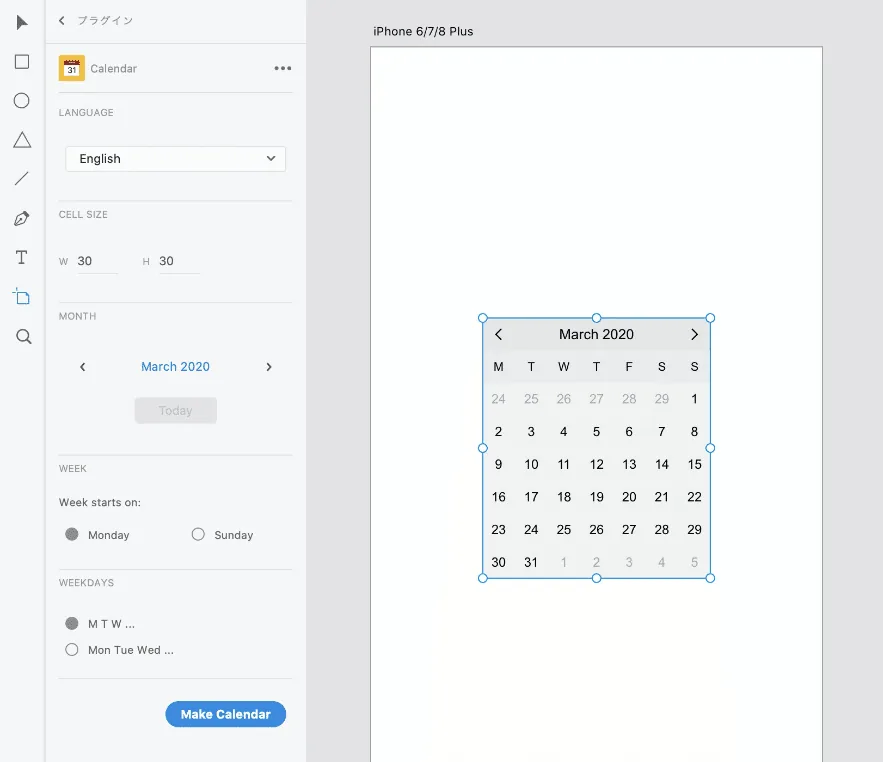
With Adobe XD's "Calendar" plugin, you can create calendar content in seconds. The "<Wireframe example, via Google Images>" in the image above is also the Adobe XD screen.
Points to watch when creating wireframes
-
Don't worry about design A wireframe is for organizing and making visible the information that should go on the page—it is not design. So drop the obvious-seeming assumption that "wouldn't it be faster to have a designer make it?"
-
Be conscious of HTML text structure Just as a piece of writing has a text structure—headings, body text—so does a website. It's called the "h tag."
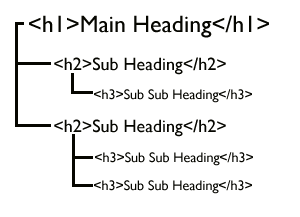
When creating a wireframe, it's important to build it while being conscious of HTML text structure so it doesn't get messy and so it reads smoothly from top to bottom.
- Lay out the elements only after identifying what you need I'll repeat: the role of a wireframe is simply to identify the necessary elements and then lay them out.
Summary
What did you think?
I've talked about wireframes briefly, but when you actually make one, all sorts of questions will surely come up—so at first, just imitate!
I think these articles will also be helpful when creating wireframes.