
This article reflects information as of 2020. For the latest details, please contact us.
This article is about 1,865 characters and takes roughly 5 minutes to read to the end. Written by: Qian Yunwen, Director / PR, tentus inc.
Hello, everyone!
What is a web director?
It's someone who takes responsibility for the quality of what's produced!
They may also oversee overall operations related to planning, proposals, and production.
What skills and knowledge are needed to fulfill that role?
There are so many — from knowledge of web marketing, to front-end language knowledge, back-end language knowledge, web design knowledge and skills, schedule creation/coordination/management, planning ability, and more!
Some knowledge can be acquired project by project, but skills you have no choice but to study in advance.
I'm not originally from a design school or a design major; I'd just touched it a little in a job before becoming a web director. Thanks to YouTube, even an amateur like me could learn web-design knowledge and study how to use the Adobe products I use at work.
So this time, I'd like to introduce, in what order and how to study so you can learn to use Adobe products in a short time, the YouTube channels I actually used and thought were great.
Before You Start Studying
- Get to know Adobe products
Introducing 50+ Adobe products in 10 minutes (with auto-translated subtitles)
It's not that you'll use all of them, but in just 10 minutes you'll learn what 50+ products are for, so there's no reason not to watch!
- Know which Adobe products a web director needs
Adobe Photoshop ➡︎ design, image editing
Adobe Illustrator ➡︎ design, image editing (similar to Ps, but images made in Ai can be enlarged infinitely without losing quality)
Adobe XD ➡︎ UI/UX design
Adobe Dreamweaver ➡︎ code editor
I mainly use these four products, but depending on the project I may use others. Study them as needed.
Recommended Japanese Channels for Learning Adobe
- Try the tutorials on Adobe's official channel
https://www.youtube.com/user/AdobeCreativeStation/playlists
From the "Creative Cloud Introduction — Getting Started Series" playlist, you can learn the basics of Ps, Ai, and more. Recommended for those who want to know the minimum usage, and for beginners.
However, this channel has no videos on Xd; those who want to learn it can study with the official videos in the "Learn by Application" category.
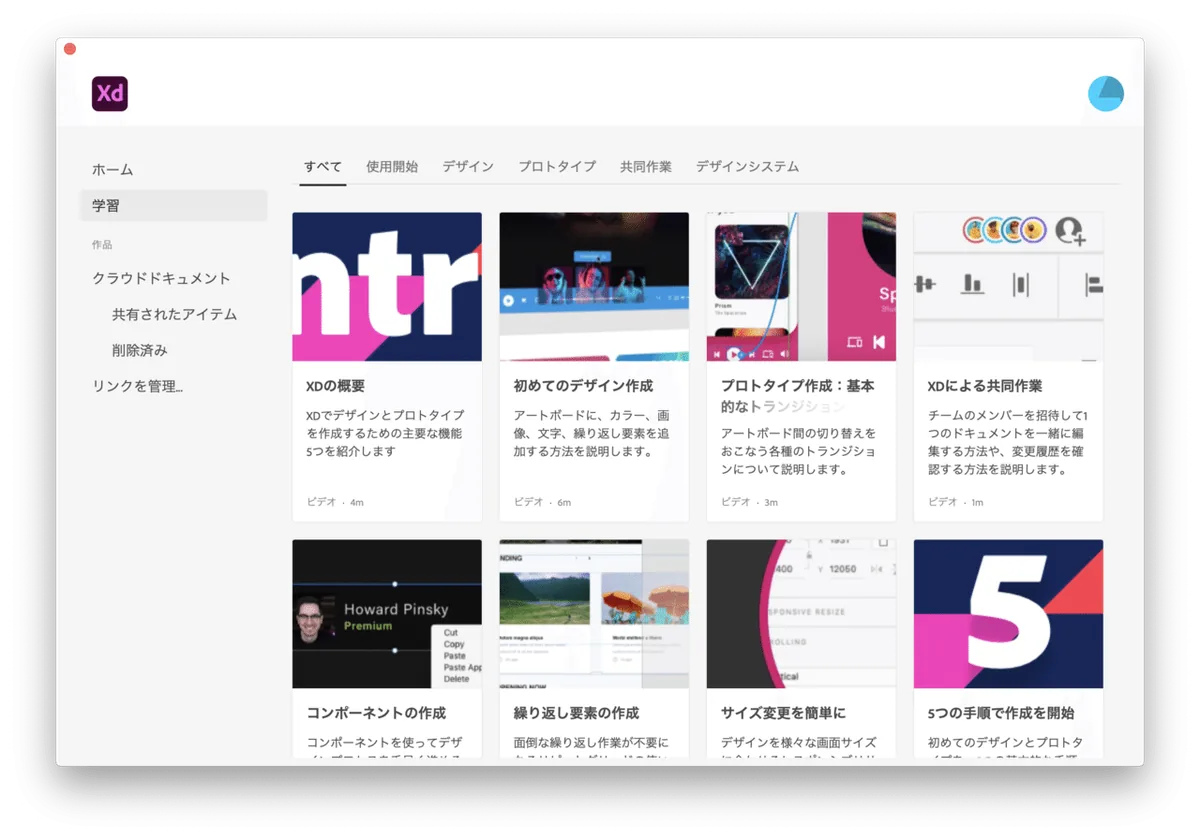
These official videos are in English audio, but with Japanese subtitles.
Recommended English Channels for Learning Adobe
Some of you surely think you don't understand English, but there's no need to worry!
They don't use any difficult words at all.
If you understand the technical terms in design fields like UI/UX, anyone can follow along!
You can also pick up the latest overseas design trends!
- A pro who teaches you how to find design ideas
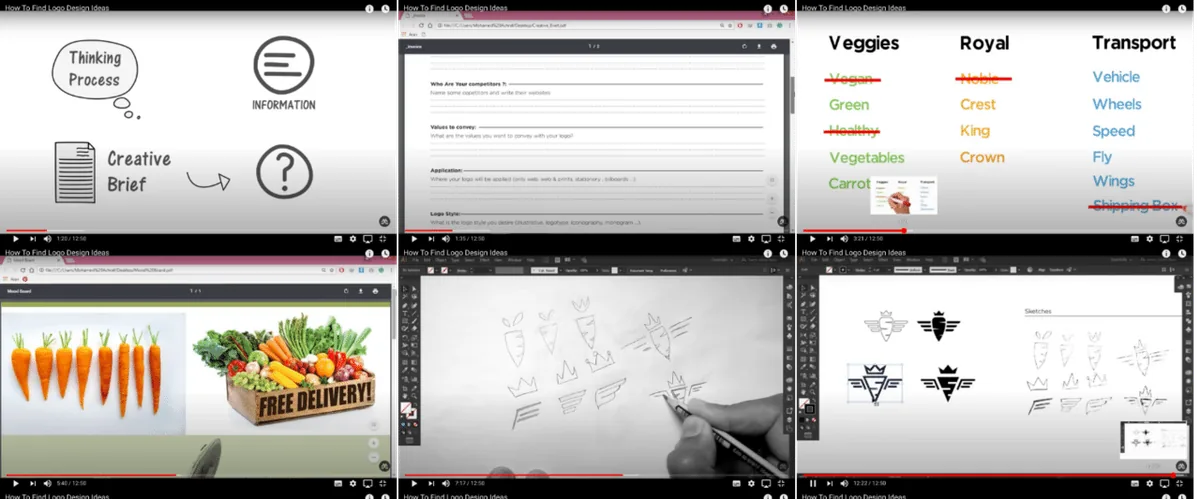
You can learn things like how to use it, but the biggest reason I want to recommend this teacher is his method for finding design ideas.
The process from the hearing sheet, to selecting keywords, choosing materials, designing, and final delivery is extremely useful for a web director too.
Of course, you can learn how to use Ai from his design videos as well.
The audio is a male AI voice, in easy-to-understand English.
- Dansky, a British teacher specializing in Ps, Ai, and Xd
https://www.youtube.com/c/ForeverDansky/playlists
If you go through the Ps, Ai, and Xd videos in his playlists, you can learn everything from the minimum to the latest techniques! Highly recommended, above all!
There are no subtitles, but his way of speaking is just so clear and logical that I find it very easy to understand. I watched almost all of it!
In Closing
I didn't introduce a channel for learning Adobe Dreamweaver (code editor), and that's because before touching a code editor, it's better to study programming languages first — then you'll naturally be able to handle the code editor too.
I'd like to introduce my own study method for learning coding as well!
I'm still a director with little experience, but from here on I want to share with everyone the things I've experienced firsthand and found worthwhile.
And if you're worried about anything, by all means get in touch with us!