
This article reflects information as of 2020. For the latest details, please contact us.
This article is about 1,886 characters and takes about 7 minutes to read to the end. Written by: Qian Yunwen, Director / PR, tentus inc.
[Translator's note: 銭韻雯 romanized as "Qian Yunwen" using provisional pinyin; the source gives the Japanese reading "Sen Inbun." Preferred romanization unconfirmed.]

Hello, everyone! Good evening! Thank you as always for reading.
Please also check out the archive below.
For New Web Directors: Learn Adobe Products for Free on YouTube! For New Web Directors: Level Up Fast with Progate! For New Web Directors: The Content a Corporate Site Needs! For New Web Directors: Websites Have a Best-Before Date. For New Web Directors: I Built a Site with WordPress Using Free YouTube Videos! For New Web Directors: 10 Standard Tools For New Web Directors: On Modern Internal Newsletters For New Web Directors: Your First Wireframe
Everyone, do you know a service called Google Sites? With Google Sites you can create a website for free. So today I'd like to talk a little about how to use it. For a web director, having a broad range of knowledge is also very important!
■ The benefits of using Google Sites
1. No specialized knowledge required—even beginners can create a website ➡︎ First, when you create a website with Google Sites, you don't need specialized knowledge like HTML or CSS, or to prepare a server. Just arrange the layout and you're done. So you can make a site by tinkering a bit whenever you have a spare moment.
2. You can create a website for free ➡︎ When creating a website, acquiring your own domain costs a few thousand yen, and renting a server costs from a few hundred to a few thousand yen a month. Having a web production company create it can cost from tens of thousands to hundreds of thousands of yen. But by using Google Sites, you can create a website for free.
3. Responsive support—easy to view on both PC and smartphone ➡︎ According to the data, more than half of users apparently browse websites via smartphone. That's why "responsive"—flexibly adjusting website display based on different screen sizes to make it easy to view and optimally displayed—is extremely important. Google Sites is responsive, so you can use it regardless of the device.
4. You can co-edit websites ➡︎ Just like Google Docs or Google Sheets, you can co-edit. You can do your own work without waiting for others.
5. You can integrate with Google services ➡︎ Not only can you integrate with Google services like Google Maps and Google Calendar, but because they're services from the same company, it goes smoothly.
■ Websites suited to Google Sites
Google Sites itself can only create up to 5 levels of pages, and you can't do finely detailed, elaborate design—so if you want elaborate design, I recommend a website builder other than Google Sites.
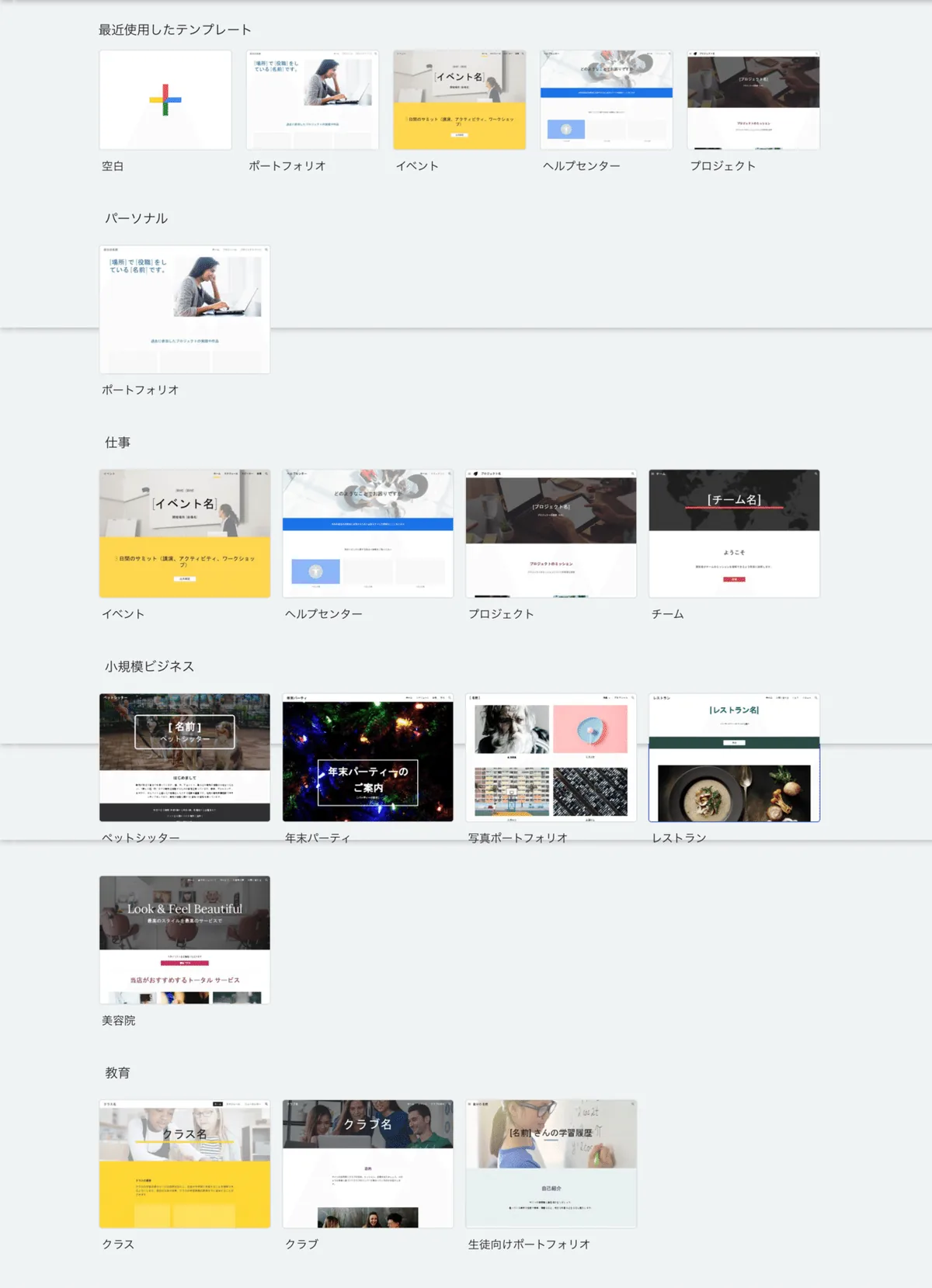
Here are websites we can recommend Google Sites for, like the Google Sites templates.
This website using Google Sites, which I came across while researching, was also interesting.
https://note.com/rapparapa18/n/n9c2b68947ce8
I think this article will also be helpful.
https://la-la-clip.com/google-site-member/
I think this article will also be helpful.
https://media.rakumo.com/2019_03_20_1356/
■ Before creating a website with Google Sites
First, decide on your structure and layout!
If you think about the site's structure before creating it, you can build the website smoothly. If you think about the structure while creating it, you could end up making it while hesitating, "Hmm, what do I put here?"
So I recommend deciding on the site's details—"What elements do I need?", "Where do I place the content?"—before diving into building the site.
■ Steps to create a website with Google Sites
For this, I recommend studying up with free YouTube videos.
https://www.youtube.com/watch?v=5BhCVvFWEtE
*It's an English-language lecture, but it's very easy to understand.
https://www.youtube.com/watch?v=G3NTePVVy_A&t=25s
*It's about creating a website for a neighborhood association or club, but the usage is the same, so I recommend this one for reference too.
■ Summary
In this article, I talked briefly about how to use Google Sites. Why not take this opportunity to launch a free site with Google Sites?
Or, why not leave website production to us?